Play Slipline Garage, a free 3D drifting game
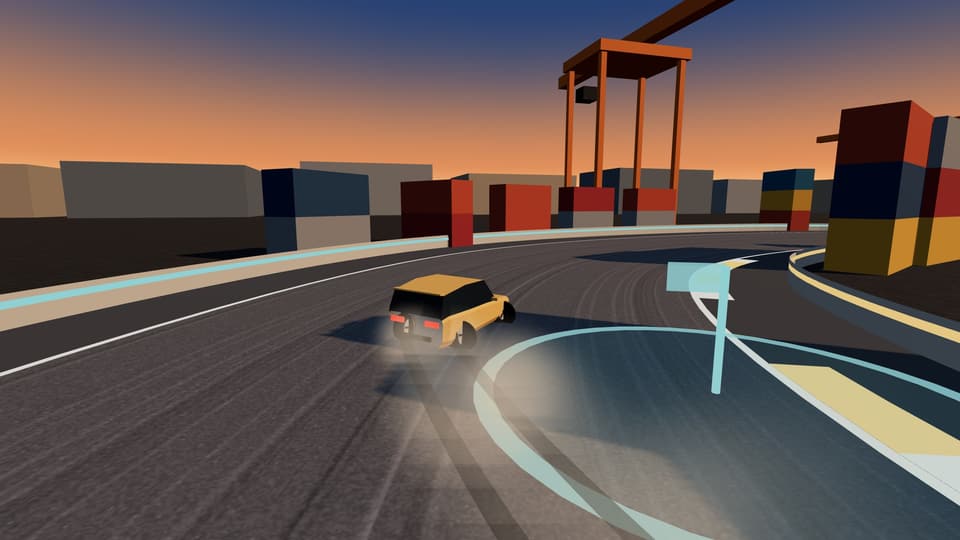
Slipline Garage
Loading the game menu…
Jump straight to a mode
Quick Drift
A 90-second score run. Choose the track and car, or take the default.
Open Quick DriftDrift Academy
Eight lessons on Academy Yard in the Finch.
Open Drift AcademyChallenge Tour
24 challenges with bronze, silver and gold.
Open Challenge TourDaily Run
Today’s fixed challenge and car.
Open Daily RunFree Drive
Untimed practice on any track.
Open Free DriveLocal Duel
Two players take turns on this device.
Open Local DuelGarage
Cars, paint and tuning on a 3D turntable.
Open Garage
Controls
Keyboard
- W↑
- Accelerate
- S↓
- Brake, then reverse
- AD
- Steer (or ← →)
- Space
- Handbrake
- R
- Recover
- C
- Camera
- EscP
- Pause
Touch
- Pad
- Drag to steer
- Gas
- Accelerate
- Brake
- Brake
- HB
- Handbrake
Controller
- LS
- Steer
- RTLT
- Accelerate, brake
- A
- Handbrake
- Start
- Pause
The game only takes over these keys while a run is active, and it pauses by itself if the tab loses focus. Keys can be changed in Settings → Controls.
Will it run on my device?
The game needs a current version of Chrome, Edge, Firefox or Safari with WebGL and hardware acceleration switched on. Nothing is installed. The 3D view only starts when you start a run, so the menu opens quickly even on a slow connection.
- If it is slow: open Settings → Graphics and choose Low. Handling is identical on every quality level. Performance settings has a full checklist.
- If it says 3D graphics are not available: update the browser or enable hardware acceleration. The game offers a retry rather than leaving a blank screen.
- On a phone or tablet: touch the game and the on-screen controls appear. Landscape gives the best view. Mobile controls.
- On a Chromebook: see drifting on a Chromebook.
Testing so far has been in desktop Chromium on Windows. Other browsers and physical mobile devices are supported by design and still being verified, so no frame rate is promised for them. How a 3D game runs in a tab at all is explained in how a browser drift game works.
Your progress
Progress is saved in this browser on this device. There is no account, so clearing browser data erases it. Settings → Progress and data can export a backup file. More in saving and backing up progress.
New to drifting games? The Slipline Garage overview explains the whole game, and how to drift in five steps covers the technique.